Reads your chat
Connects straight to your channel and follows every message in real time. Set a response rate, add trigger words, or let it decide when to jump in, like a real co-host.
Your AI co-host
Never stream alone again. StreamBuddy reads your chat, talks back with a natural voice, runs chat games and lives on screen as an animated avatar, on Twitch, Kick and Velora at the same time.
Works where you stream. Run one platform or all three at once.

 Coming soon
See it on stream
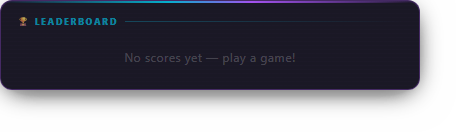
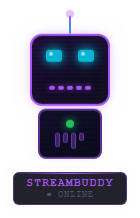
This is how StreamBuddy looks in your streaming software. The avatar and leaderboard are real captures of its overlays, reacting as chat moves.
What it does
Connects straight to your channel and follows every message in real time. Set a response rate, add trigger words, or let it decide when to jump in, like a real co-host.
Choose from over 400 Microsoft neural voices across 100+ languages, with speed and volume control. Pro adds 28 Studio Voices that run on your own PC and work offline.
Speak on stream and hear it answer back, powered by local Whisper transcription. Use keyword mode so it only listens after a trigger word, or Always-On for free-flowing conversation.
Trivia, Hangman, Polls, fishing, slots and more, with points on a leaderboard that lasts between streams. Pro unlocks seven more games and Gameshow Mode.
Add the avatar and games overlays as browser sources in OBS, Meld or any app that supports them. The avatar animates whenever StreamBuddy speaks.
Four avatars are free and thirteen more unlock with Pro, from a cyber dragon to a neko VTuber. You can also upload your own GIF or transparent PNG.
Name your co-host, set the humor level, write a custom personality prompt and pick from 50+ languages. You control how often and when it replies.
A blocked-words list keeps sensitive messages out of the audio. They still show in chat, they just aren't read aloud. Smart queueing keeps readings current when chat moves fast.
Viewers type !ask and StreamBuddy searches the web, answers in a couple of sentences and posts the source link. A safety filter is always on.
Getting started
Download StreamBuddy and run the installer. It sets up the free local AI engine for you.
Sign in to Twitch, Kick or Velora from the Connect page. You can connect all three at once.
Pick an avatar and a voice, give your co-host a name, and set its personality.
Copy the overlay links into your streaming software as browser sources and start streaming.
Chat games
Viewers play by typing commands in chat. Every win adds points to a leaderboard that carries over between streams.
!triviaTriviaBase!numguessNumber GuessBase!hangmanHangmanBase!wyrWould You RatherBase!pollPollBase!fishFishingBase!slotsSlotsBase!speedtypeSpeed TyperPro!emojidecodeEmoji DecodePro!fastmathFast MathPro!plinkoPlinkoPro!coinpushCoin PusherPro!bossBoss BattlePro!storyStory ChainProGameshow Mode (Pro) strings several games into one hosted session. Pick a host personality such as Hype Host, Chill Vibes, Roast Master or Sports Caster, and StreamBuddy runs the whole show.
Base or Pro
It's the same app. Enter a Pro serial from the Upgrade link in the sidebar and everything unlocks, with no reinstall.
| Feature | Base | Pro |
|---|---|---|
| AI chat replies on Twitch, Kick and Velora | Yes | Yes |
| Microsoft neural and Windows voices | Yes | Yes |
| Personality, trigger words and blocked words | Yes | Yes |
| Avatar and games overlays | Yes | Yes |
| Animated avatars | 4 | 17, plus your own |
| Chat games | Trivia, Number Guess, Hangman, Would You Rather, Poll | All Base games plus 7 more |
| Chat economy: fishing, slots and leaderboard | Yes | Yes |
| Stream labels, shoutouts and giveaways | Yes | Yes |
| Gameshow Mode | No | Yes |
| Voice input: talk to your co-host | No | Yes |
| Studio Voices: 28 offline AI voices you can blend | No | Yes |
| Soundboard with chat and event triggers | No | Yes |
| Stream Ads: text, voice, image and video | No | Yes |
Before you buy
Questions
Yes. Base is free to download and use, with no time limit. You only pay if you want the Pro features.
No. Pro is a one-time $9 purchase.
No. Base and Pro are the same app. Enter your Pro serial from the Upgrade link in the sidebar and the Pro features unlock right away.
Not by default. The local AI engine is free and runs on your own PC. If you choose the cloud option, you use your own Claude API key and pay Anthropic for that usage.
Any app that supports browser sources, including OBS and Meld. You add the avatar overlay and the games overlay as two browser sources.
Yes. StreamBuddy can connect to Twitch, Kick and Velora at the same time and reply on each one.
You decide. Add words to the blocked list and messages containing them stay out of the audio. The !ask web lookup also has a safety filter that is always on.
Yes. Backup & Restore in Settings saves your settings, personality, commands, sounds, avatars and chat economy into one file. Sign-ins and API keys are never included.
The app has a built-in, searchable Guide. You can also read the help center, join the ModMinds Discord, report a bug, or pick a support plan for hands-on help.
Get StreamBuddy
Free
Everything you need to try an AI co-host on your stream.
$9 one-time
The full co-host, with no subscription.
Already on Base? Buy Pro and enter your new serial from the Upgrade link in the app. Your settings stay as they are.
Copyright 2026 Den Crofty LLC. All Rights Reserved.
Cookies help ModMinds deliver a smarter and smoother experience by maintaining your signed in session and measuring site performance. Essential cookies are required, while optional cookies are used only with your permission. Learn more in our Privacy Policy.